

SIM Ownership Details
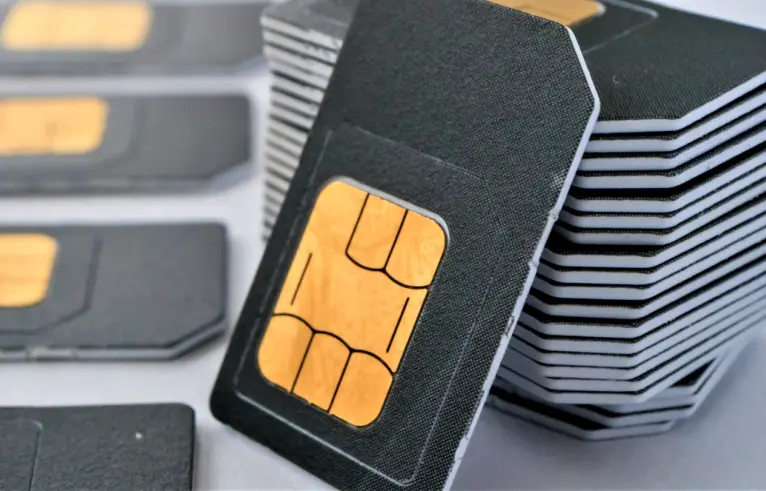
In an era where our mobile numbers are linked to everything from bank accounts to social media profiles, knowing exactly who owns a SIM card isn’t just a matter of curiosity—it’s a vital security measure. Whether you are using an old SIM card found in a drawer or ensuring your current number is legally registered in your name, understanding SIM ownership details is essential.
This guide will walk you through why SIM registration matters, how to check your details, and what to do if your information is incorrect.
Why Is SIM Ownership Verification Important?
Gone are the days when a SIM card was just for calls and texts. Today, your mobile number is your digital identity. Here is why you must ensure your SIM ownership details are accurate:
- Legal Security: If a SIM registered in your name is used for illegal activities, you could be held legally responsible.
- Banking & 2FA: Most banks use Two-Factor Authentication (2FA). If the SIM isn’t in your name, you might face hurdles in recovering your account or verifying transactions.
- SIM Recovery: If you lose your phone, you can only block or replace the SIM if you are the registered owner.
- Regulatory Compliance: In many countries, like Pakistan, the PTA (Pakistan Telecommunication Authority) mandates biometric verification. Unregistered SIMs are eventually blocked.
How to Check SIM Ownership Details
Depending on your region and service provider, there are several ways to verify who a SIM belongs to. Below are the most common methods used today.
1. Using the PTA SIM Information System (For Pakistan)
If you are in Pakistan, checking your SIM count and ownership is straightforward thanks to the PTA.
- Via SMS: Send your CNIC number (without dashes) to 668. You will receive a reply showing the number of active SIMs registered against your CNIC across all networks (Jazz, Telenor, Zong, Ufone).
- Via Website: You can visit the official PTA SIM Information System website. Simply enter your CNIC number to see a breakdown of your registered SIM cards.
2. Using Mobile Network Apps
Most modern telecom operators have dedicated apps (e.g., Jazz World, My Telenor, My Zong, or the MyAT&T app in the US).
- Download the app and log in using your mobile number.
- Navigate to the “Profile” or “Account Details” section.
- The app will display the name and partial CNIC/ID information of the registered owner.
3. USSD Codes
Almost every network has a specific shortcode you can dial to see the owner’s info.
- Jazz: Dial
*444#and select account info. - Telenor: Send a blank SMS to 7751.
- Zong: Dial
*102#.

How to Transfer SIM Ownership
What happens if you’ve been using a SIM card registered in your father’s or sibling’s name for years? It is highly recommended to transfer the ownership to yourself.
The Transfer Process:
- Visit a Franchise: Both the current owner and the new owner must visit the mobile network’s service center or franchise.
- Biometric Verification: Both parties must provide their thumbprints via a biometric scanner.
- Required Documents: Bring original CNICs or National IDs.
- Processing Fee: Some networks charge a small fee (usually around 50 to 200 PKR) for the transfer and the issuance of a new SIM card.
What to Do If You Find Unrecognized SIMs?
If you check your CNIC and find that there are more SIMs registered in your name than you actually own, you must act immediately. This is a sign of identity theft or unauthorized use of your biometric data.
- Step 1: Visit the nearest customer service center of the relevant network.
- Step 2: Request a “SIM Disownment” form.
- Step 3: Provide your biometric verification to prove your identity and have the unauthorized numbers blocked permanently.
Security Tips for SIM Users
To keep your SIM ownership details safe and prevent misuse, follow these best practices:
- Never share your OTP: No telecom employee will ever ask for your One-Time Password.
- Avoid “Pre-activated” SIMs: Never buy a SIM from a street vendor that is already working. These are often registered in someone else’s name and can lead to legal trouble.
- Check Regularly: Make it a habit to check your SIM count via 668 at least once every six months.
- Report Lost SIMs: If you lose your phone, call the helpline immediately to block the SIM before it can be used for fraudulent activities.
Conclusion
Understanding your SIM ownership details is no longer optional—it is a fundamental part of your digital hygiene. By ensuring your SIM is correctly registered and biometrically verified, you protect your bank accounts, your social identity, and your legal standing.
Take five minutes today to send that SMS or check the app. It’s a small step that provides massive peace of mind.